
9eSIM· in English
9eSIM card tool selection guide
New to 9eSIM? This guide explains OMAPI, PC/SC and eLPA, the hardware you need, and which app to use on Android, iOS and PC.
18 de febrero de 2025 · admin
Hey there, 9eSIM newbies! We know getting started with your 9eSIM removable card can feel a little confusing. Don't worry — this guide covers everything you need.
Let's look at how to get going in the 9eSIM ecosystem. The diagram below shows all the tools and software you can use to download an eSIM profile onto the 9eSIM removable eUICC.
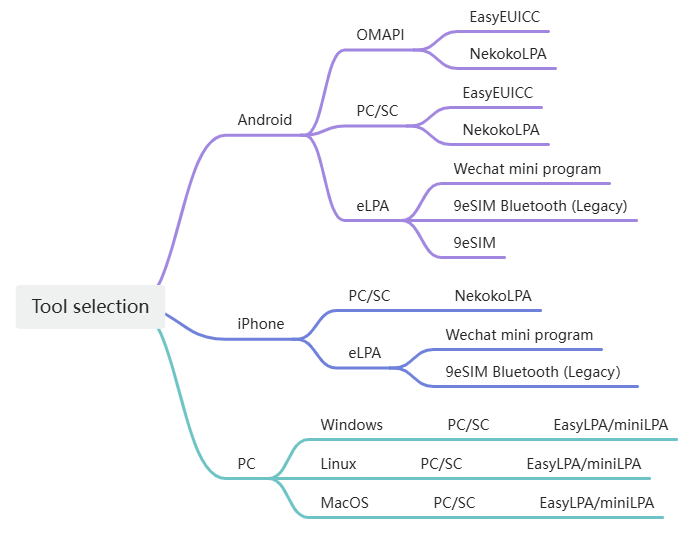
Choosing your tools
Here are a few terms you might be seeing for the first time. Don't worry — here's what they mean:
- OMAPI: a software component on Android (version 9 and above).
- PC/SC: Personal Computer / Smart Card — a standard smart-card reader.
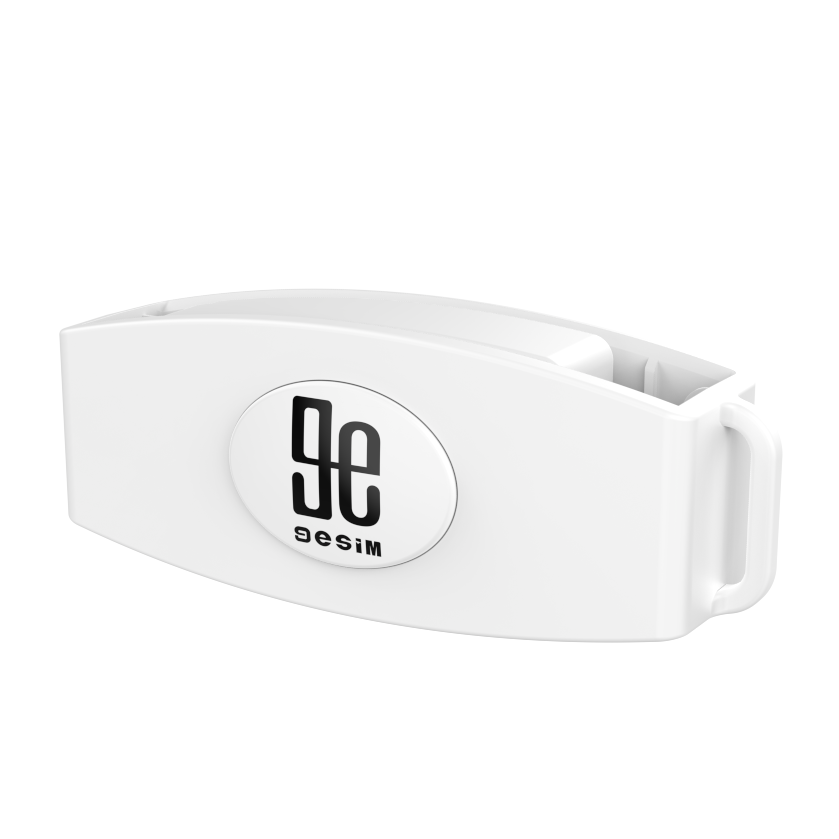
- eLPA: the 9eSIM eUICC LPA — a Bluetooth LE card reader with a built-in LPA, developed by 9eSIM.
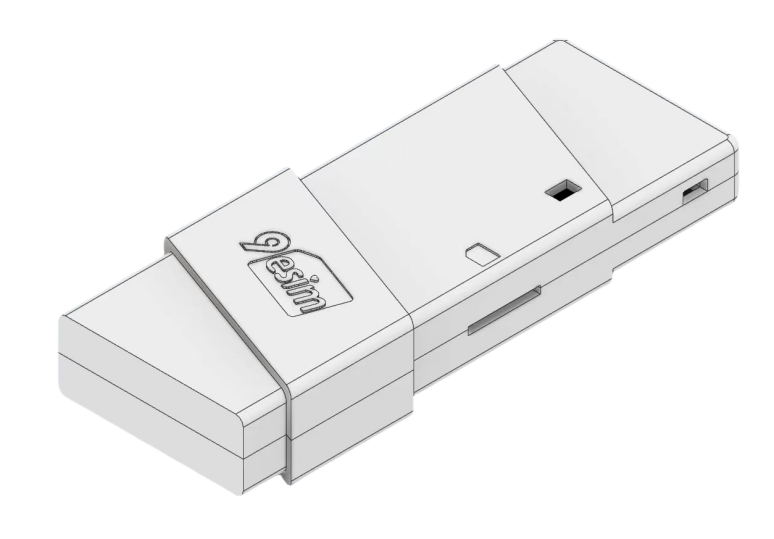
Hardware you'll need
You'll need one of the following:
- An Android device with OMAPI, or
- A PC/SC reader, or
- A 9eSIM eLPA reader.
Pick the software for your platform
- Android: install EasyEUICC or NekokoLPA to check whether your device is compatible.
- iOS: you'll need a card reader (either PC/SC or eLPA works).
- PC: you'll need a PC/SC reader.
Android apps
| Software | Tool | Download |
|---|---|---|
| EasyEUICC | OMAPI or PC/SC reader | Gitea releases |
| NekokoLPA | OMAPI or PC/SC reader | GitHub · Google Play |
| 9eSIM | OMAPI, PC/SC reader or eLPA reader | Google Play |
| WeChat mini program | eLPA reader | Search "9eSIM" in WeChat |
PC software (Windows, Linux, macOS)
| Software | Tool | Download |
|---|---|---|
| EasyLPAC | PC/SC reader | GitHub |
| MiniLPA | PC/SC reader | GitHub |
iOS apps
| Software | Tool | Download |
|---|---|---|
| 9eSIM LPA | PC/SC reader | App Store |
| WeChat mini program | eLPA reader | Search "9eSIM" in WeChat |